

Your trips, on your own server.
Run·dere is a self-hosted travel planner. Capture your booking details and it builds the trip: flights, hotels, trains and events on one timeline. It also researches the places you're going, plans what to pack, and keeps a travel journal. Your data lives on a server you run, not ours, and the server is open source under the AGPL-3.0 licence.
Capture
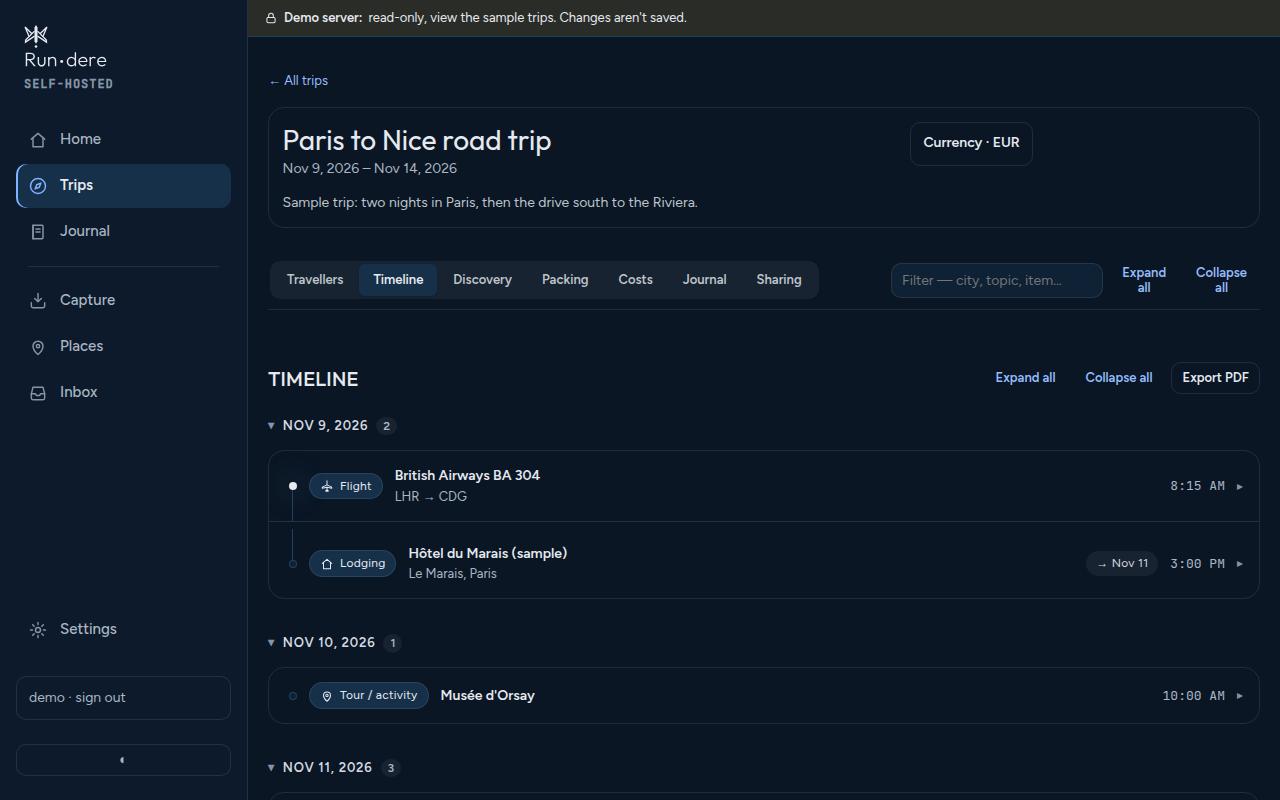
Booking confirmations, PDFs, calendar files and map links become timeline items you review before they're saved.
Discover
Food, events, phrases, safety and transport notes for each city, shaped by your own preferences.
Pack
A packing list built from the trip's weather and plans, tracked by bag.
Journal
Write entries on the go with the iPhone, iPad and Android apps, which also work offline for reading.
See the iPhone app
Short screen recordings of the iPhone app, using the demo server's sample trips. Tap one to play it.
Try it now
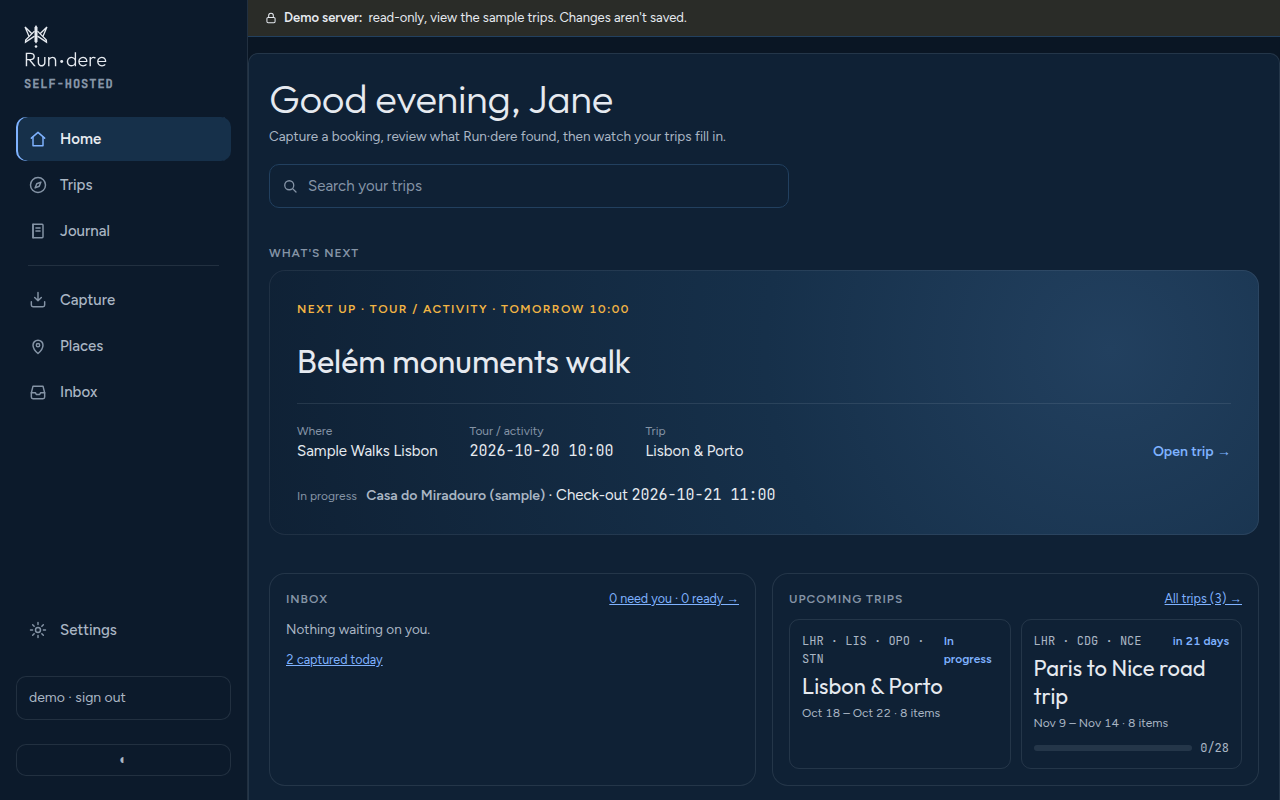
See it with sample trips
The demo server has three sample trips for a fictional traveller: one under way, a road trip coming up and one from earlier in the year. Look around the timeline, map, Discover research, packing list, costs and journal in your browser. The sign-in details are on its sign-in page.
The demo is read-only. You can look at everything, but you can't add or change anything, so it holds no one's real information. To capture your own bookings, run your own Run·dere server.
How it works
- Capture. Forward a confirmation email, paste a link or a page, or drop in a PDF or calendar file.
- Review. Run·dere reads it and puts what it found in your Inbox. Nothing reaches a trip until you approve it.
- Plan. Approved items land on the trip's timeline and map. Run·dere then researches each city, builds a packing list and tracks costs, which you can split with the people you travel with.
- Travel. On the way, the iPhone, iPad and Android apps show what's next, and you keep a journal as you go.
AI-forward from day one
Built to work with AI, with you in control
- Research. AI agents research each city for you (food, events, phrases, safety and transport) using your own preferences and dislikes.
- Connections. A built-in MCP server lets AI assistants such as Claude connect to your trips directly, with sign-in and permissions you grant.
- Updates. Assistants can add activities, update plans and fill in research. Their changes arrive as drafts you review, and anything you lock stays yours.
You choose the model, whether it runs locally on your own hardware or is a hosted service. Or leave AI off: Run·dere still works without it.
Run your own server
Run·dere is one container plus a Postgres database, behind a reverse proxy (such as Traefik or Caddy) that handles HTTPS. The image is built for Linux on amd64. A local language model does most of the reading of free-form booking emails; without one, Run·dere still reads booking markup, calendar invites and map links.
Quick start
curl -O https://raw.githubusercontent.com/rundere/rundere-server/main/deploy/docker-compose.example.yml
# replace every CHANGE_ME and the example hostnames
docker network create proxy   # unless your reverse proxy already has one
docker compose -f docker-compose.example.yml up -d
Then open the server in a browser. The first visit creates the admin account, so do that before anyone else can reach it. The self-hosting guide covers secrets, the proxy, sign-in, optional services, backups and upgrades.
Apps
The apps are companions to a Run·dere server: they connect to your own server (or the demo) and don't store your trips anywhere else.
iPhone & iPad
Timeline, map, capture, packing and journal on the go, with a read-only offline copy of your trips. The app is in testing on TestFlight and we're inviting testers one at a time. Email us the address you use for your Apple Account to ask for an invite.
Request an inviteAndroid
Today, trips, capture and the share sheet, the inbox, journal and what's near me, with a read-only offline copy of your trips. Journal entries and expenses you add offline are sent when you're back online. The app is in testing on Google Play and we're inviting testers one at a time. Email us the address you use for your Google Account to ask for an invite. Needs Android 10 or later.
Request an inviteDocumentation
The guides live with the server's source on GitHub.
- Self-hosting Installing, secrets, the reverse proxy, sign-in, backups and upgrades.
- Configuration Every setting, the outside services Run·dere can use, and single sign-on.
- Capture Getting bookings in: the Capture Hub, bookmarklet, email and other ways in.
- Setup & usage guide Step by step, from first setup through capturing, reviewing and approving.
- AI assistants Connecting Claude and other assistants through the built-in MCP server.
- Architecture The capture pipeline, the project layout and the decisions behind them.